The weekly Photoshop TV show featuring "The Photoshop Guys" Scott Kelby, Dave Cross and Matt Kloskowski. Presented by the National Association of Photoshop Professionals (NAPP). Tutorials: Photoshop User TV Episode 01 Photoshop User TV Episode 02 Photoshop User TV Episode 03 Photoshop User TV Episode 04 Photoshop User TV Episode 05 Photoshop User TV Episode 06 Photoshop User TV Episode 07 Photoshop User TV Episode 08 Photoshop User TV Episode 09 Photoshop User TV Episode 10 Photoshop User TV Episode 11 Photoshop User TV Episode 12 Photoshop User TV Episode 13 Photoshop User TV Episode 14 Photoshop User TV Episode 15 Photoshop User TV Episode 16 Photoshop User TV Episode 17 Photoshop User TV Episode 18 Photoshop User TV Episode 19 Photoshop User TV Episode 20 Photoshop User TV Episode 21 Photoshop User TV Episode 22 Photoshop User TV Episode 23 Photoshop User TV Episode 24 Photoshop User TV Episode 25 Photoshop User TV Episode 26 Photoshop User TV Episode 27 Photoshop User TV Episode 28 Photoshop User TV Episode 29 Photoshop User TV Episode 30 Photoshop TV Episode 31 Speed up, darken down and more. So What Have We Learned: - Matt shows you how to create a multistroke using gradient stops. - Dave restores a faded photograph using multiply layers - Scott demonstrates how to automate adding watermarks to an entire folder of images - Jordan Kelby shows the guys a trick on Camera RAW Photoshop TV Episode 32 Speed up, darken down and more. So What Have We Learned: - Felix shows you how to make a realistic looking 45rpm record from the Down & Dirty Tricks Column of Photoshop User magazine - Scott gives you a great tip on getting rid of your digital photograph’s metadata - Roving reporter, Matt Kloskowski takes us on a tour of Adobe’s Headquarters in San Jose, California. - Scott shows us how to use Adobe Bridge and Photoshop Services to make US Postage stamps out of your digital images - Dave Cross checks in with a great tutorial on hotkeys and shortcuts Photoshop TV Episode 33 Tons o’ tips, special guests and great new techniques. So What Have We Learned: - Scott shows you how to make a realistic depth-of-field effect - Felix demonstrates how to create a stunning chrome effect - Rich Harrington shows you how to correct a series faded photographs with adjustment layers - Rich also has a great tip on video actions for creating DVD slide shows from your images - Scott has another tip for using Bridge and Photoshop Services to create an awesome ture book - Scott shows you how to use the DLO HomeDock to watch Photoshop TV on your television - Our roving reporter, Matt Kloskowski, brings us an interview with some of Adobe’s top creative people Photoshop TV Episode 34 Great new techniques and reports from Adobe and Adobe Live So What Have We Learned: - Dave shows you a different method to make fluffy clouds - Matt has a tip for using Bridge with the Iron Mountain photo backup service from Photoshop Services - Scott has a tutorial for photographers to correct dark edges using Lens Correction - Matt demonstrates how to straighten up a crooked photo Photoshop TV Episode 35 Photoshop Services, changing backgrounds and plenty of great tips. So What Have We Learned: - Matt has a tutorial for turning a photo into an illustration using the pen tool - Dave has a brilliant technique for changing an object’s background while keeping natural shadows - Scott shows you how to make a realistic studio background for your photo’s model using Channels - Matt shows you how to order Kodak Prints with Bridge and Photoshop Services - Dave’s got a tip for presenting and selling your photos online using Bridge and PhotoManager Photoshop TV Episode 36 More great tips, tricks and a special report. So What Have We Learned: - Felix shows you how to make a realistic, watery reflection of a building, using transform and the warp filter - Part 2 of Matt’s trip to Bert Monroy’s digs. Take a look at how Bert manages his workflow - Bert shows you how to create a flock of birds using a custom brush - Matt has a retouching tip for making a model’s nose appear smaller Photoshop TV Episode 37 Making the impossible a reality! So What Have We Learned: - Felix shows you how take two completely unrelated images and turn them into one, realistic one. - Matt has a nifty tutorial on using Illustrator and Photoshop together. - Dave Cross has a quick tip from afar on removing stains from an old photograph. Photoshop TV Episode 38 The boys are back in town! So What Have We Learned: - Dave shows you change the impact of a two-model photo by duplicating, resizing and blurring - Straight out of Jamaica, Matt Kloskowski shows you how to customize the Web Photo Gallery in Adobe Bridge to use your own logo - Scott has a tutorial on creating an effect in camera RAW and applying your finishing touches in Photoshop Photoshop TV Episode 39 Scott and Dave whip up some great new techniques So What Have We Learned: - Scott shows you what can happen when Panos Go Bad - and he shows you how to correct it with Photomerge and a number of other nifty tricks. - Dave takes a cool shot of lightning and combines it with another photo to create a stormy, rainy day. Photoshop TV Episode 40 We’ve Hit the Big Four-Oh! So What Have We Learned: - Matt shows you how to remove a beard with Dust & Scratches and Layers Masks - Larry has a tutorial on how to make ‘em smile with Liquify - Matt introduces you to the new Lightroom for Windows beta Photoshop TV Episode 41 Abstracts, Green Eyes and Tim Horton So What Have We Learned: - Matt demonstrates how to make a cool abstract image with gradients, shapes, Free Transform and Layers Styles - Larry shows you how to correct that glowing green eye in your pet’s ture with Adjustment Layers - Dave Cross, from Tim Horton’s, has a tutorial on using Select Color Range, Mapping Defringe and Contract to move a model from one setting to another - Matt has a tip on creating a digital infrared look with Channels and Diffused Glow Photoshop TV Episode 42 Back by Popular Demand! So What Have We Learned: - Matt has a tip on enhancing a model’s eyes using Layers masks, the Brush tool and Gaussian Blur - Dave has a tip on using Color Range to make multiple selections and create special effects - Scott has a step-by-step workflow tutorial on creating backups of your digital photos Photoshop TV Episode 43 Get ready to do the impossible! So What Have We Learned: - Dave shows you how to turn your photo into a sketch with Smart Blur and custom patterns. - Matt has a tip on adding steam to a coffee cup with rendering Clouds and Motion Blur. - Scott has a portrait retouching tutorial, using Liquify to change the appearance of a model’s face. Photoshop TV Episode 44 Something Old, Something New! So What Have We Learned: - Dave has a nifty tutorial on making a realistic film style contact sheet - Scott takes you through a multitude of little known camera RAW tips - Special guest Larry Becker restores a faded photograph with Adjustment Layers Photoshop TV Episode 45 Riveting Retouching! So What Have We Learned: - Scott has a tutorial on making the most of your product shots with lighting effects, highlights - Matt has a long-distance tutorial for enhancing a sunset with a Gradient Map adjustment layer - Dave shows you how to eliminate shadows with the Color Range tool, Hue/Saturation and a custom pattern Photoshop TV Episode 46 From Realistic to Funky So What Have We Learned: Scott shows you a quick way to preview your images in black and white format in Adobe Bridge and has a follow up tip for previewing in Photoshop. Matt has a tutorial on creating a Flash animation with Photoshop and ImageReady Dave creates a wild 3D abstract using the 3D Transform Filter Photoshop TV Episode 47 (The Real McCoy) At last! The Photoshop TV - Photoshop World Episode! So What Have We Learned? From the Photoshop Finishing Touches book, Dave has a tutorial on creating a funky edge border from sampling a photograph. You like that specialized OS X wallpaper? Matt shows you how to make it from scratch. Scott has something special for photographers — using a gradient filter to darken skies and image sampling and blend if sliders to create clouds. Photoshop TV Episode 48 There’s no place like home! So What Have We Learned? Scott shows you Camera RAW techniques for converting to black and white using saturation, shadows and contrast sliders. By special request, Dave explains the Blend If sliders in detail. A PSTV tip-of-the-hat to Jeremy Stroud for the great request! Matt has a funky split-toning effect with the Channel Mixer, Color Balance and Adjustment Layers. Photoshop TV Episode 49 Bet you didn’t know! So What Have We Learned By request, Matt has a cool technique for using Gradient Overlay and the Warp Tool to add a shiny effect to text and objects. Dave “breaks it down” with a layers technique that lets you break a subject out of its borders. Scott shows you how to access little-known features in Photoshop CS2 like resizing the font sample, choosing alternative plugin folders and creating customized hotkeys. Photoshop TV Episode 50 Hey! Ho! Five-Oh! So What Have We Learned? - Matt shows you how to add subtle lighting effects to a portrait with the Shadow Highlights tool and Curve Adjustment Layers. - Scott uses Adobe Bridge and Photoshop to create a cool 20”x30” poster from a folder full of family photos. - Dave works wonders getting rid of a color cast using the Match Color tool, Adjustments Layers and the nifty WhiBal white balance reference card from RAWworkflow.com. Plus! Meet the newest member of our team, The Photoshop Lad himself - Corey Barker. You’ll be seeing more of Corey and his awesome Photoshop techniques in the weeks to come. Photoshop TV Episode 51 Better tures, effects and automation So What Have We Learned? - Scott turns a not-so-interesting photo into a very cool design with Quick Mask. - Matt and Scott show you how to get perfect white balance with the ExpoDisc from ExpoImaging. - Dave has a tutorial on creating flexible lighting effects with the Lighting Effects filter and Lens Flare. - Matt creates automatic actions using Photoshop’s Script Editor. Photoshop TV Episode 52 Happy Anniversary To Us! So What Have We Learned - Matt shows you how to turn a photograph into a sketch using an awesome technique from Justin Seeley. - The Photoshop Lad himself, Corey Barker, has a tutorial on creating a funky background using the Fibers filter, warp and elements from other images. - Dave answers your burning questions on Displacement Maps with this tutorial on creating your own maps to manipulate images. Photoshop TV Episode 53 Plenty of tricks and a few treats! So What Have We Learned: - Corey has the ins and outs of using nested Smart Objects to place an Illustrator graphic into a Photoshop document - From the field, Scott Kelby brings us a report from his shoot in Vermont with our friends at the the Digital Landscape Workshop Series. - Matt shows you how to tint a group of your photos with Layers styles. - Terry White of Adobe Systems has a guest tutorial for you on using Photoshop native files in InDesign. Photoshop TV Episode 54 Tips, Guests and Humor So What Have We Learned: - John Paul Caponigro provides a guest tutorial on converting a color photo to black & white, using channels - Matt gives us Camera RAW 101 - Special guest, Felix Nelson shows you how to draw an iPod Shuffle from scratch - Corey whips up a tasty beverage using the Platic Wrap filter Photoshop TV Episode 55 Get in Gear for the Holidays So What Have We Learned: - Dave shows you how to use the Vanishing Point filter to create a funky 3D grid - Special guest David Ziser brings us some brilliant advice for lighting your subject properly - Corey uses Layer Masks and color halftones to create a retro logo Special Feature: - The Photoshop Guys show you their favorite gear for giving and receiving in part one of Scott’s Gonzo Holiday Gadget Guide
Если у вас не получилось скачать Photoshop User TV Collection (Volume 1+2) закажите обновление ссылок. Внимание!!! Обновление ссылок Photoshop User TV Collection (Volume 1+2), могут заказать только зарегистрированные пользователи.
Вы так-же можете скачать Фотошоп, Photoshop, User, Collection, Volume
Получи вип статус и ты сможешь скачивать файлы на высокой скорости
Adobe Photoshop – это огромный мир с неиссякаемыми возможностями. Хотите, чтобы эти возможности стали доступны и вам?
Тогда воспользуйтесь лучшим набором Фотошоп для добавления ваших фотографий и уроков фотошоп, которые будут интересны как опытным пользователям фотошопа, так и начинающим дизайнерам.
Список содержит в себе книги, видеоуроки и прочие материалы, обеспечивающие легкий старт в столь интересном деле. Итак, для того чтобы вообще понять, что же такое разработка под Android и какие
Большая библиотека фотографа - это уникальная подборка книг и статей по теории и практики фотографирования и базовой фотообработке. Эти отличные пособия предназначены как для начинающих фотографов,
Используя наши фотошоп рамки, любая фотография приобретает абсолютно другой вид и смотрится намного привлекательнее. К тому же, из такой вот рамочки можно сделать достаточно неплохой подарок на день рождения или красивую рамку для вашего праздника.
У нас вы так-же найдете pixiz фотошоп, для фотошопа, photoshop, красивые картинки, рамки для фото, винтажные рамки для фотошопа, обои для рабочего стола девушки, винтажная рамка для фотошопа, рамки для фотошопа под старину, шаблоны детских открыток,
винтажные рамки, рамки виньетки, шаблон PSD, картинки на рабочий стол красивые, редактор фотографий онлайн, выпускные фотокниги, свадебные фотокниги, детские портреты, рамки для детского сада, школьные фотокниги, фотошоп рамки, фоторамки, свадебные рамки бесплатно,
фото альбомы, фотокниги, детские рамки скачать, праздничные рамки, фотоальбомы, открытки, виньетки, шаблоны psd, шаблоны для фотомонтажа, frames for photoshop, вектор, векторные клипарты, векторная графика и клипарт, картинки для Photoshop, растровые клипарты,
графика 3D, картинки для дизайна, красивые русские шрифты для Photoshop





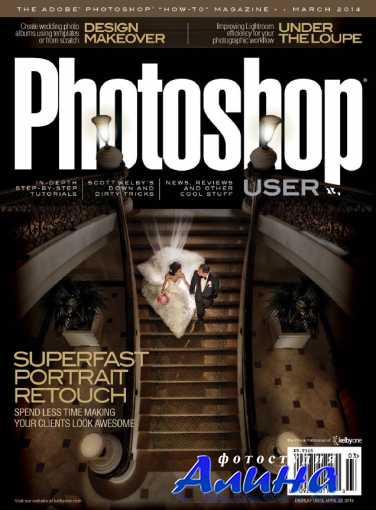


![Журнал Photoshop User - Июнь [2011] [EN] [PDF]](http://s005.radikal.ru/i209/1105/12/b69ec7d70193.jpg "Книги Журнал Photoshop User - Июнь [2011] [EN] [PDF]")